Click
- Left, right, middle, forward, and back buttons
- Single or double click
- 1 ms to 1 hour intervals
- Fixed point or current cursor
- Count, duration, or unlimited repeat
- Controlled interval and position variation
Build repeatable Windows workflows from precise clicks, recorded input, editable actions, and scheduled runs. Your automation data stays on your PC.
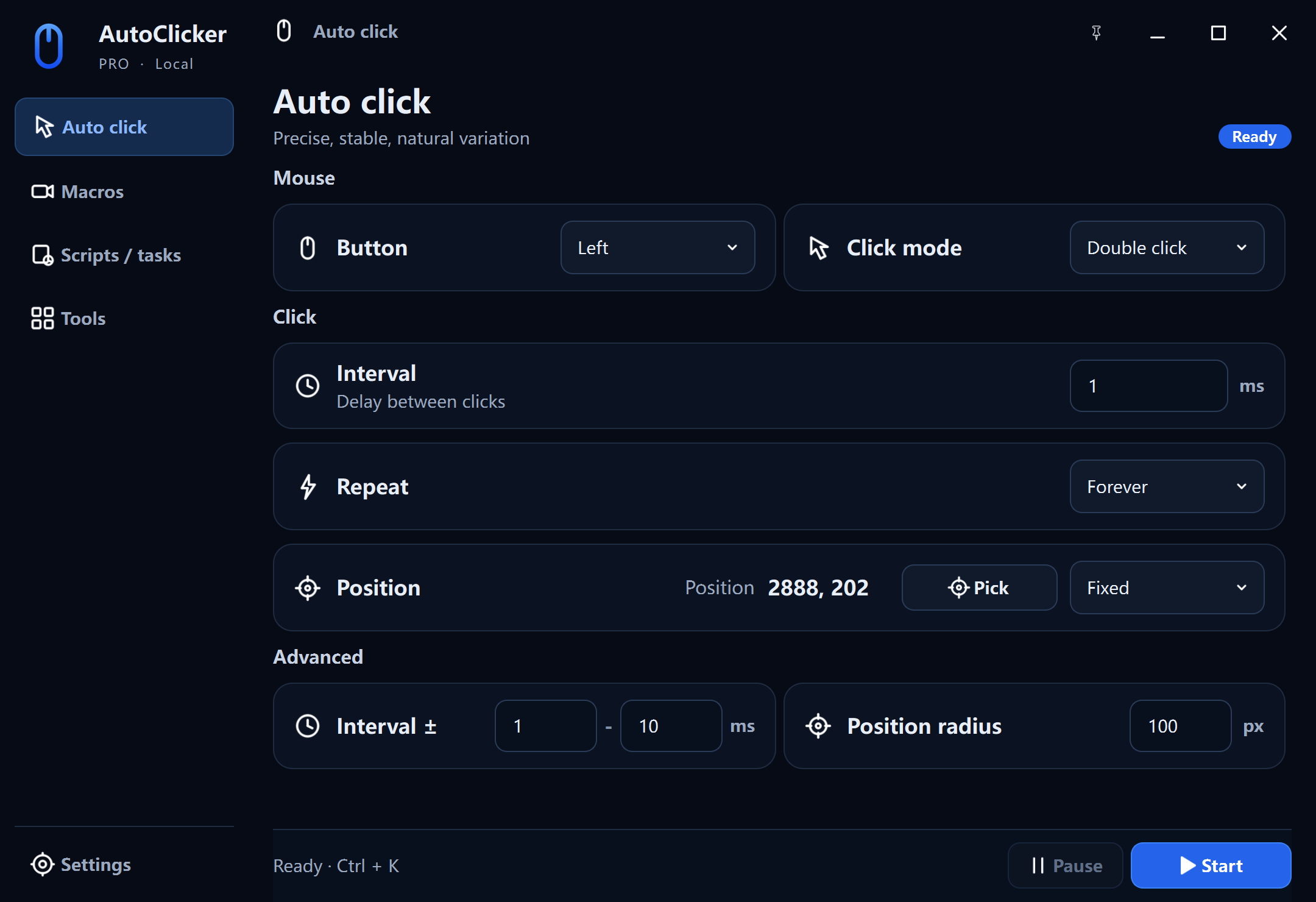
Everything in one place
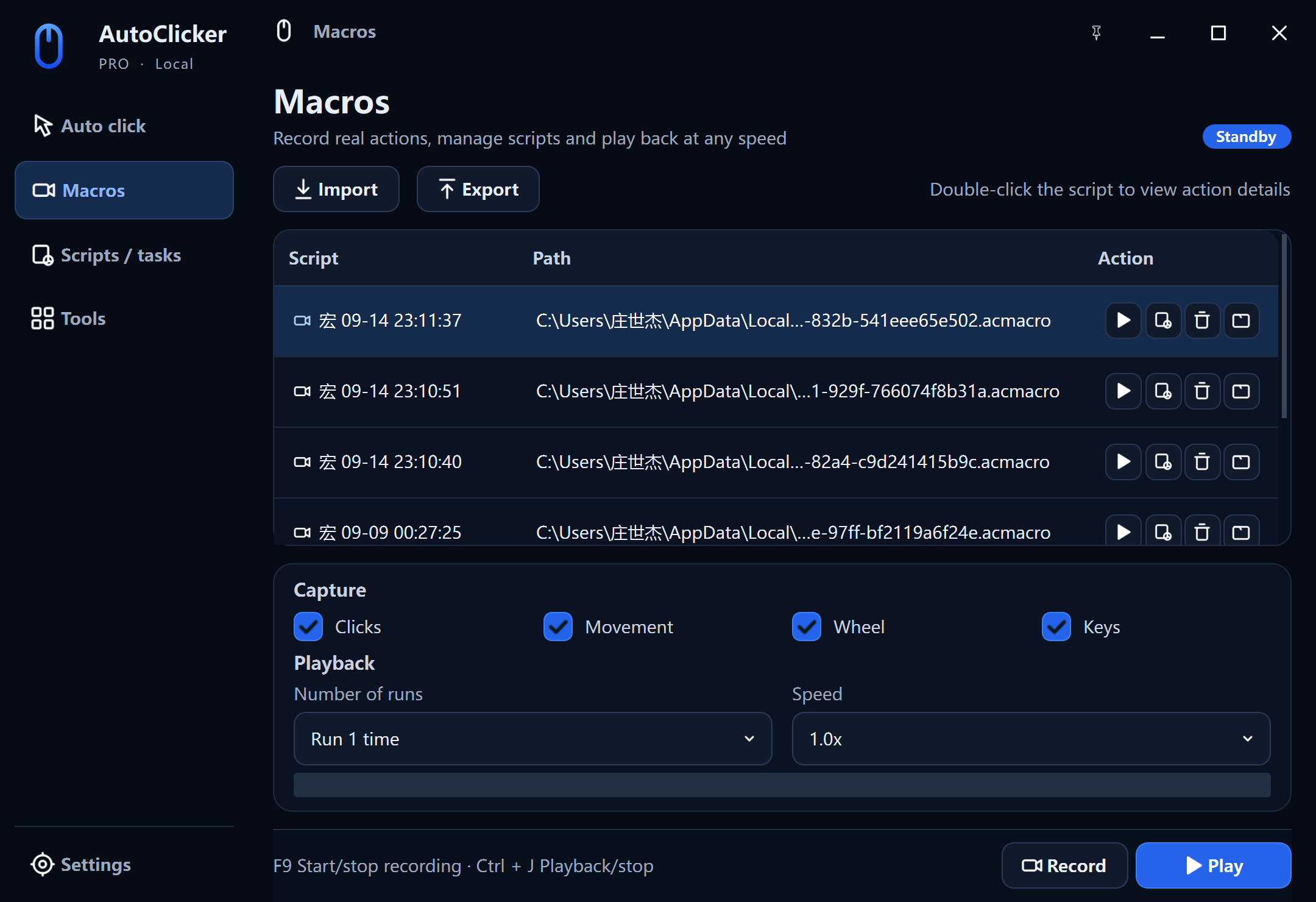
Macro studio
Open a recorded script to inspect each action. Correct coordinates, change a key, move a step, or add the exact delay the target app needs.
Readable .acmacro JSON with atomic local saves.
Change speed and run count without re-recording.
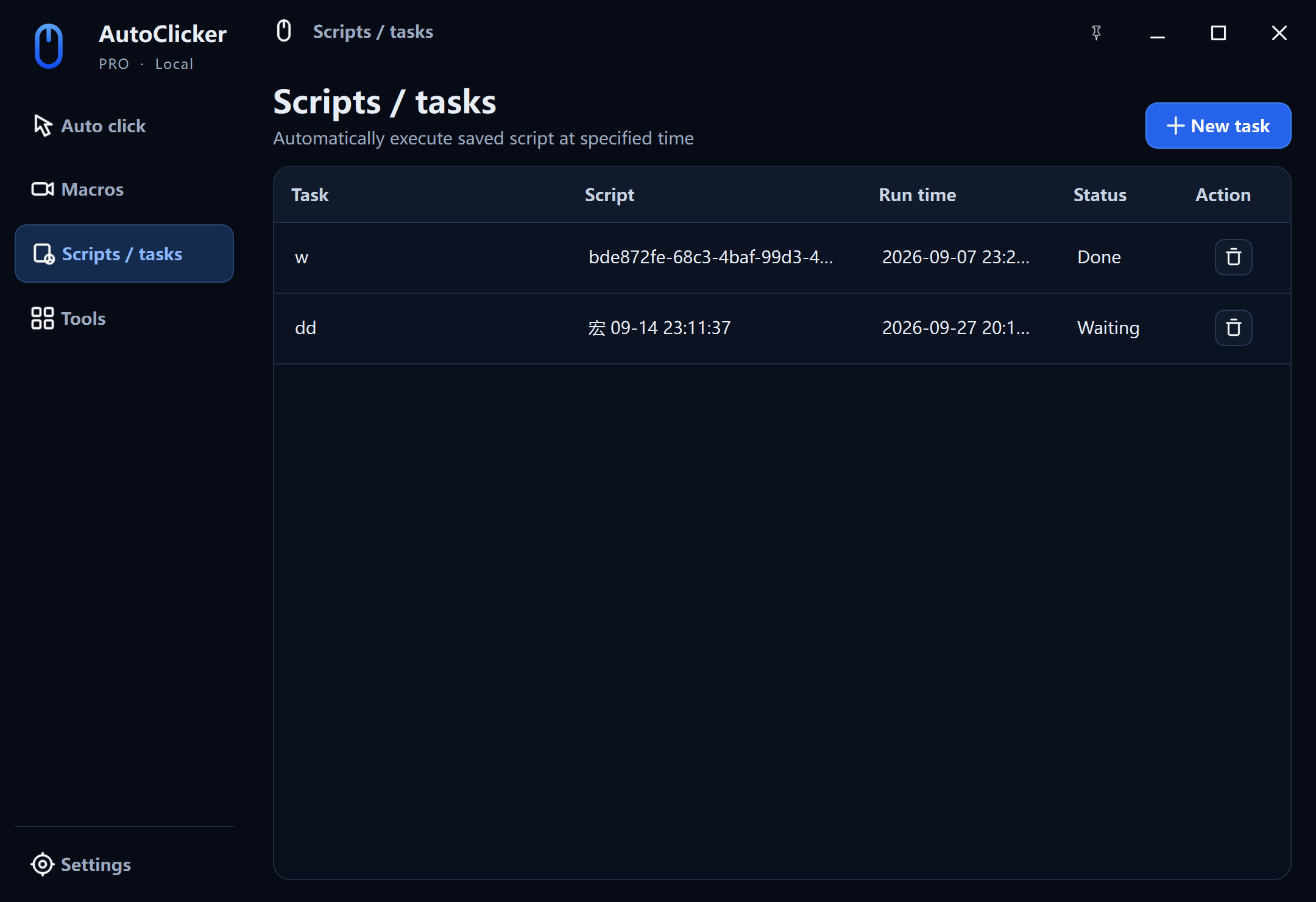
Turn any saved macro into a local scheduled task. Choose exactly when it should start, how fast it should play, and how many times it should repeat.
Pick a date and time for a saved macro.
Run at 0.5×–10× speed with a fixed or unlimited repeat count.
Keep AutoClicker Pro in the system tray while scheduled work waits for its start time.
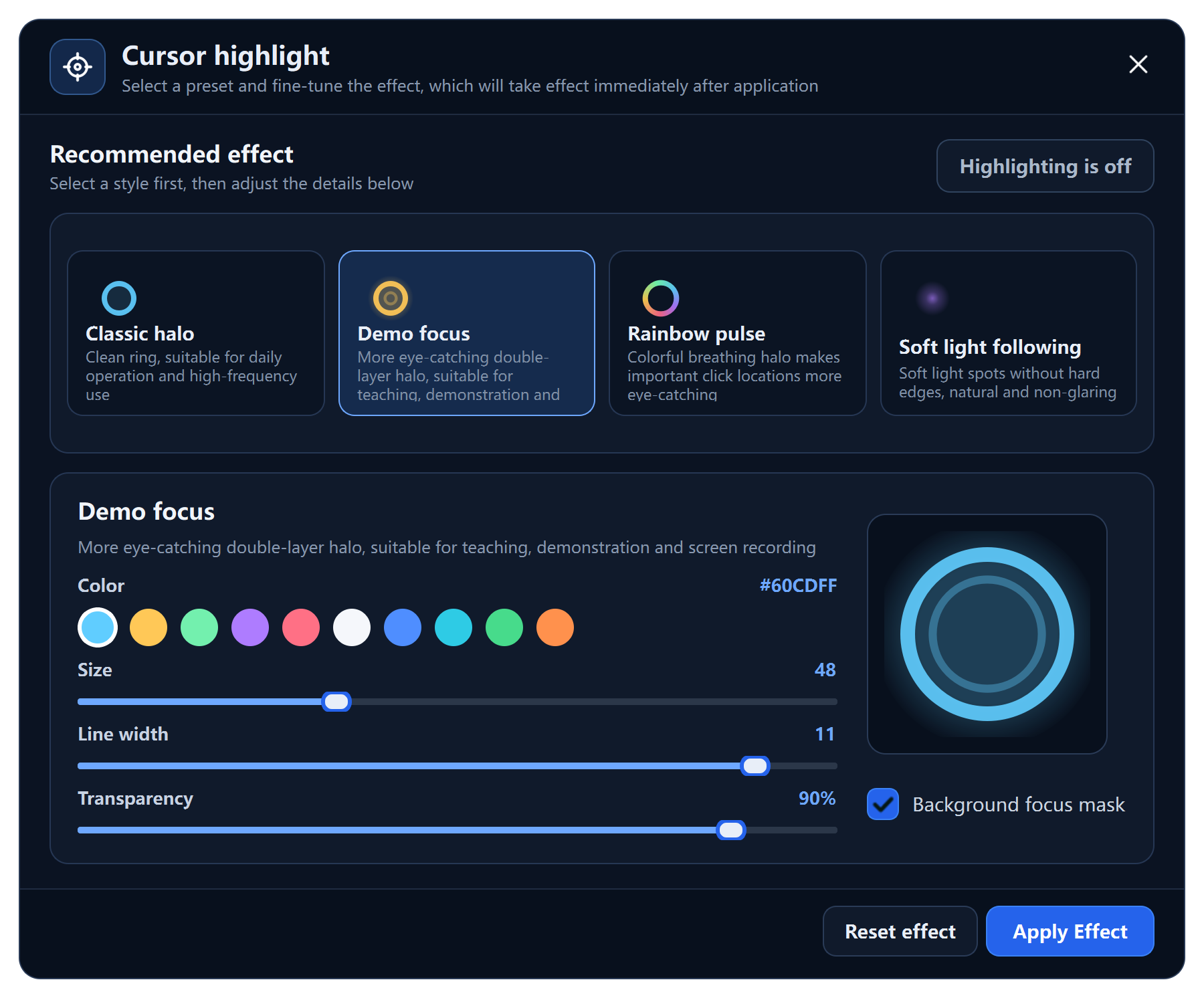
The Tools workspace adds practical utilities for demos, tutorials, testing, and training without installing a separate overlay app.
Classic halo, demo focus, rainbow pulse, or soft glow—with ten colors plus size, line width, transparency, and background focus controls.
Measure clicks per second over 1, 2, 5, 10, 15, 30, or 60 seconds and compare consistent results.
Pro access
Every module stays visible in the app. Automatic clicking and macro recording remain available, while scheduled execution and paid tool actions verify your Pro subscription or lifetime entitlement only when you use them. Access checks never upload your macros.