Mouse actions
Capture left, right, and middle clicks plus pointer movement.
Capture a real workflow, replay it locally, and keep every recorded action on your PC. Start free, then move to Pro when you need deeper editing and scheduling.
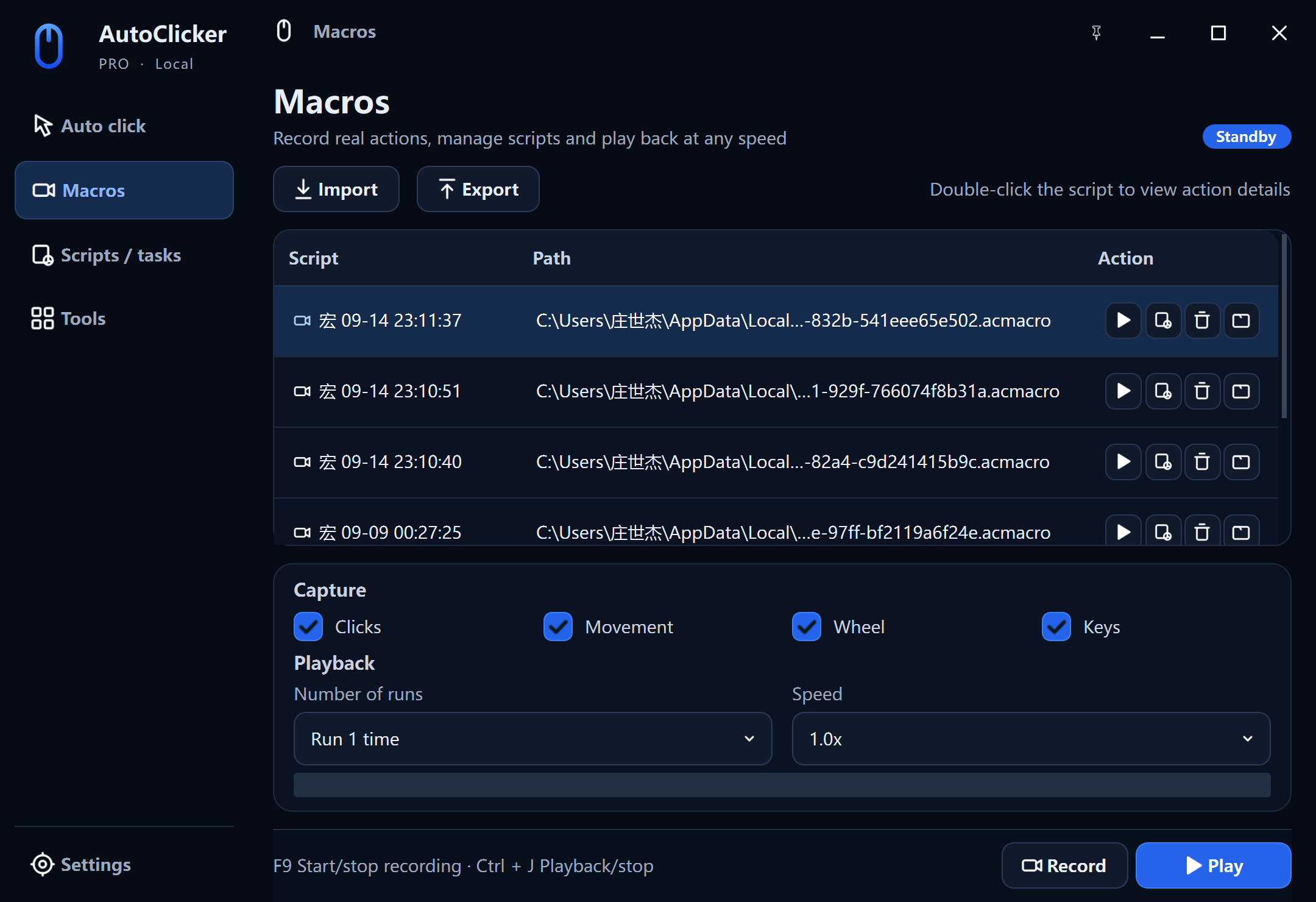
Record the whole sequence
Use a macro when the job combines different input types, positions, and pauses. Use the simpler auto-click timer when one action repeats.
Capture left, right, and middle clicks plus pointer movement.
Record keys and shortcuts in the same sequence as mouse actions.
Include vertical and horizontal wheel actions where the workflow needs them.
Change playback speed and repetition without recording the workflow again.
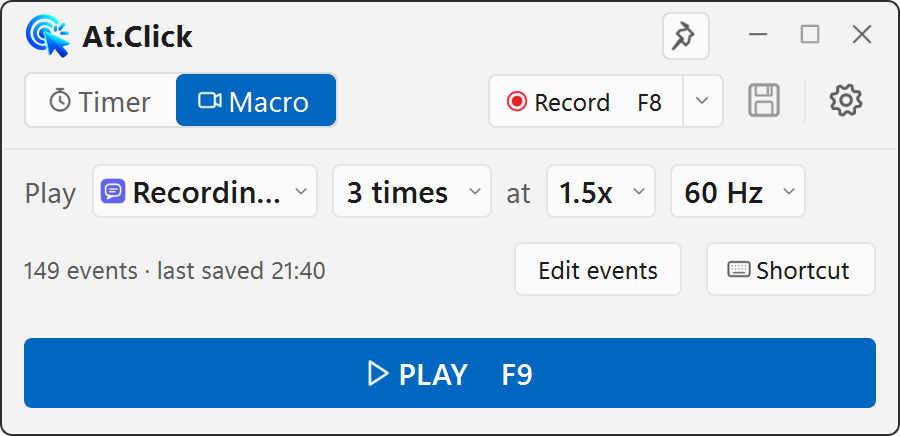
Free macro recorder
The compact edition records mouse and keyboard events, shows the event list, supports event editing, and replays at 0.25×–4× speed. Profiles and macros stay local.
Explore free AutoClickerAutoClicker — free
AutoClicker Pro
Macro recorder FAQ
Yes. The recorder can capture mouse clicks, pointer movement, wheel actions, and keyboard input, then replay the sequence on Windows.
The compact AutoClicker edition includes free local recording, event review, and playback. AutoClicker Pro adds a larger action-level editor, wider speed controls, scheduling, and .acmacro import and export.
Macros are stored locally on your Windows PC. AutoClicker does not upload recorded actions or typed content to the website.
Yes. The free edition lets you review and edit recorded events. Pro provides a dedicated timeline editor for inserting, deleting, changing, and reordering individual actions.