01
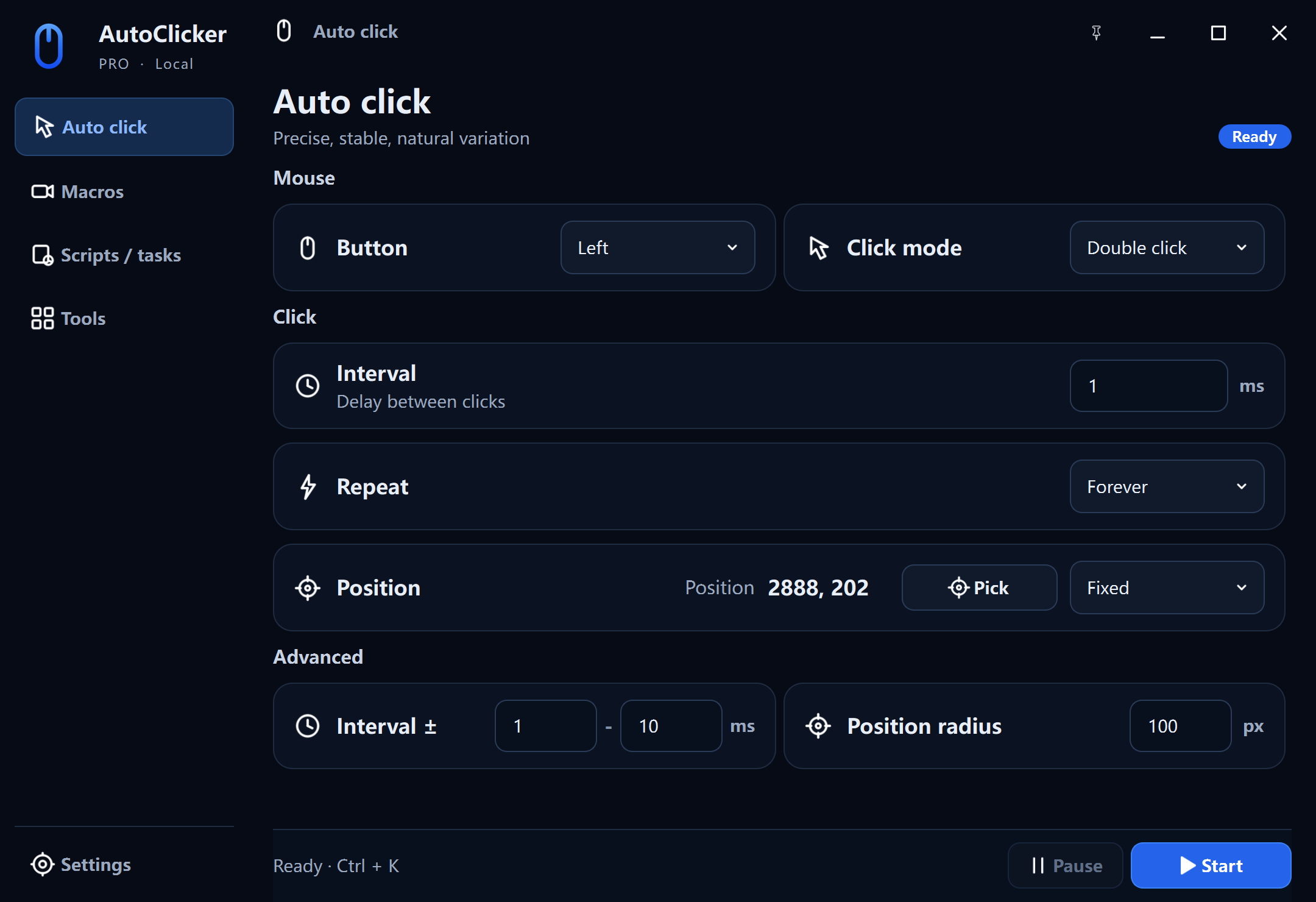
Precise auto click
Five mouse buttons, single or double click, fixed coordinates, repeat limits, and natural timing variation.
AutoClicker Pro
Start with precise automatic clicking and a free macro recorder. Move to Pro for action-level editing, scheduled runs, and practical desktop tools.
1 ms
Minimum interval
10×
Macro playback
24 h
Timed run limit
Local
Macros stay on PC
A complete desktop toolkit
AutoClicker Pro keeps the automation visible: every timing choice, position, script, and scheduled run stays under your control.
01
Five mouse buttons, single or double click, fixed coordinates, repeat limits, and natural timing variation.
02
Capture clicks, movement, wheel actions, and keyboard input with global shortcuts.
03
Inspect, reorder, delete, or insert delays, clicks, and key presses before playback.
04
Run a saved macro at a chosen date and time, speed, and repeat count.
05
Highlight the cursor for demos and measure click speed with the built-in CPS test.
06
Use AutoClicker Pro in English, Chinese, German, French, Spanish, Russian, or Japanese.
Set a fixed position or follow the pointer, then add a controlled timing range and position radius. The values stay explicit and reversible.
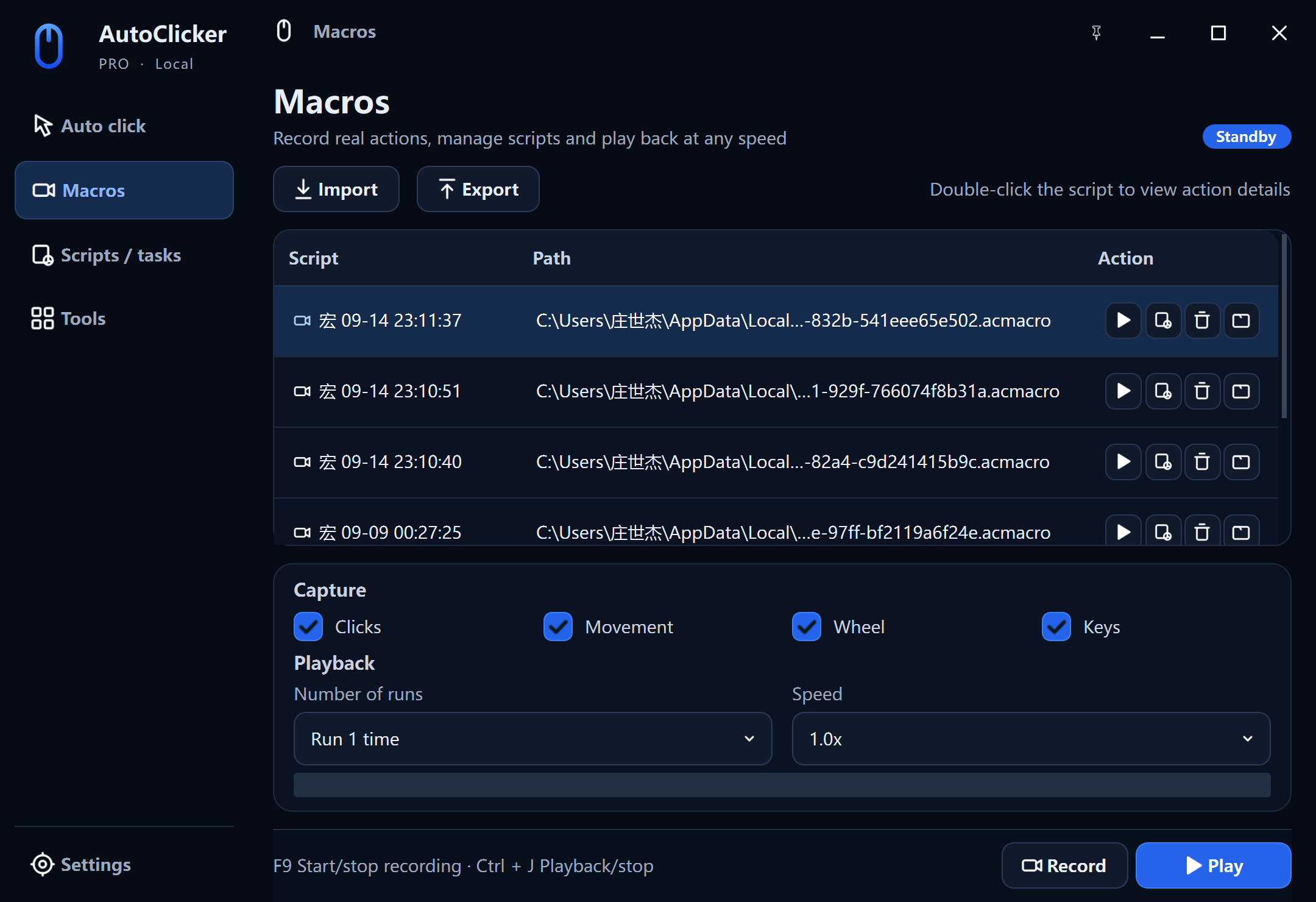
Capture mouse and keyboard input, then open the timeline to remove mistakes, reorder steps, or insert a precise delay, click, or key press.
Tasks & tools
Pro goes beyond recording and playback with local scheduling, presentation-ready cursor effects, and a built-in click speed test.
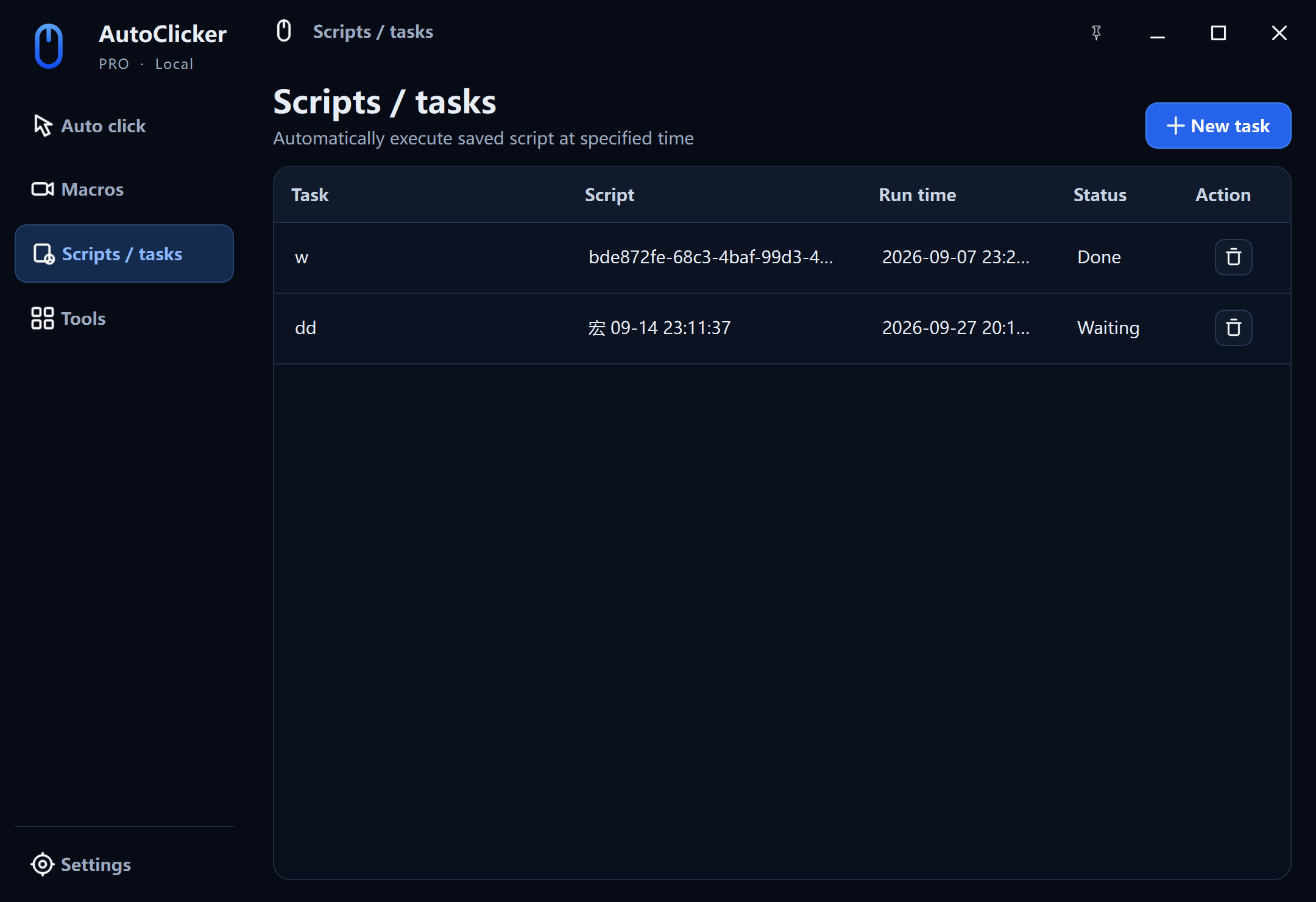
Schedule a saved macro for a specific date and time, choose 0.5×–10× playback, set the repeat count, and let AutoClicker Pro wait in the tray.
Explore scheduled tasks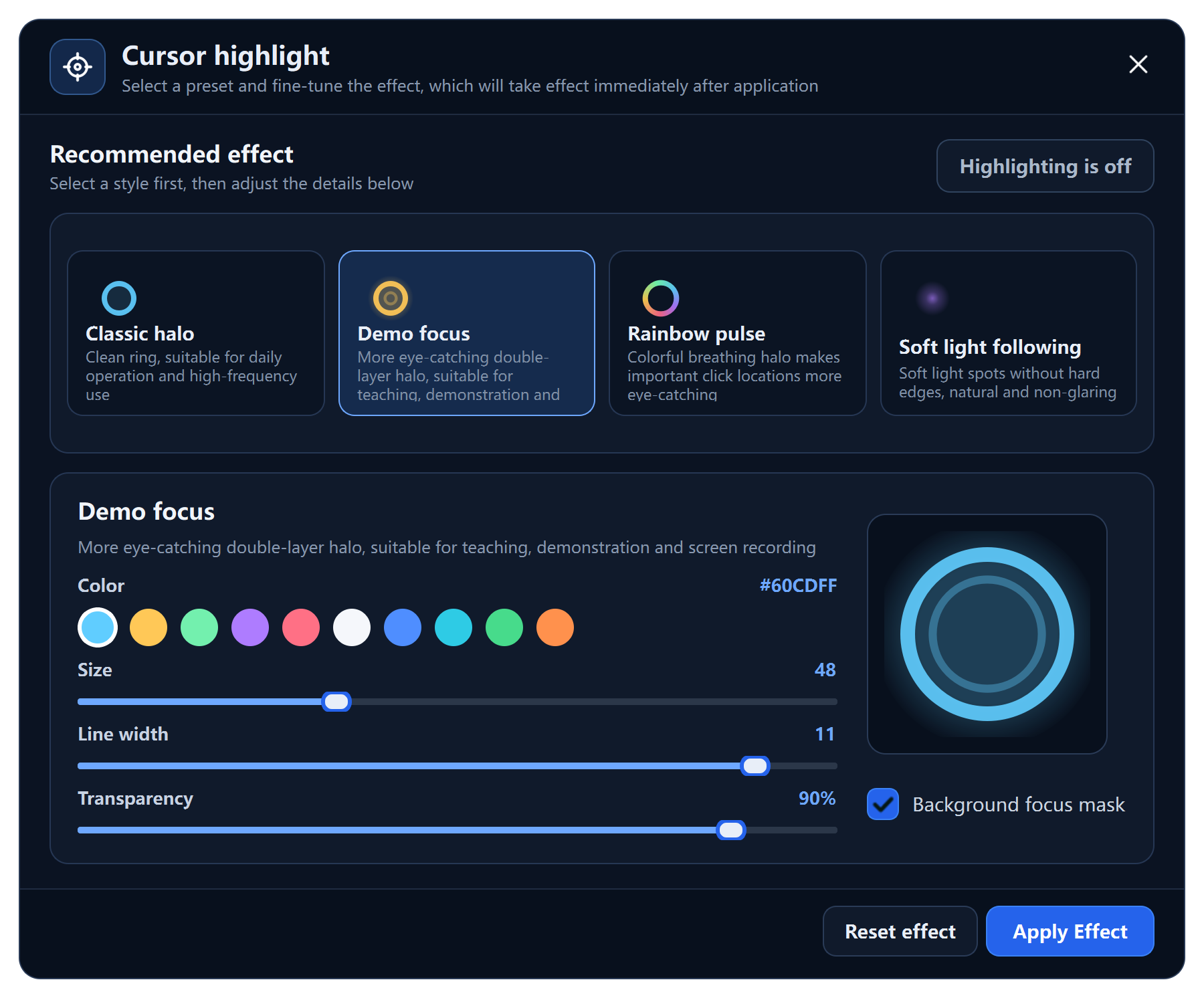
Choose from four configurable cursor highlight effects for demos and training, then measure click speed with 1–60 second CPS tests.
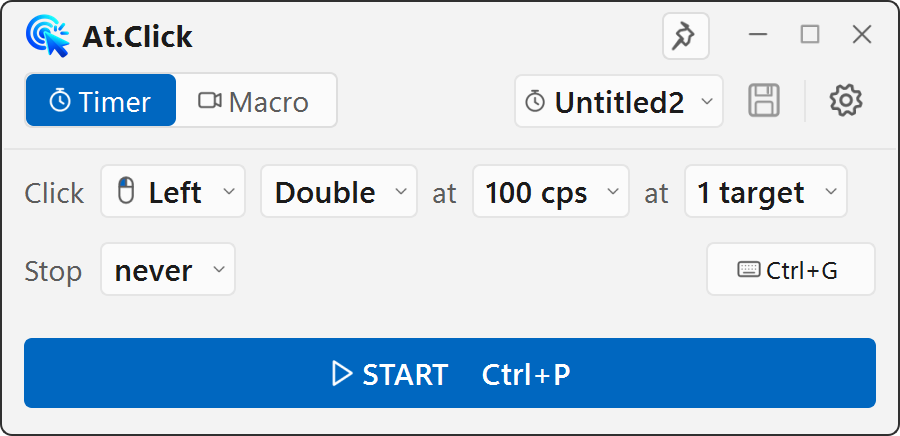
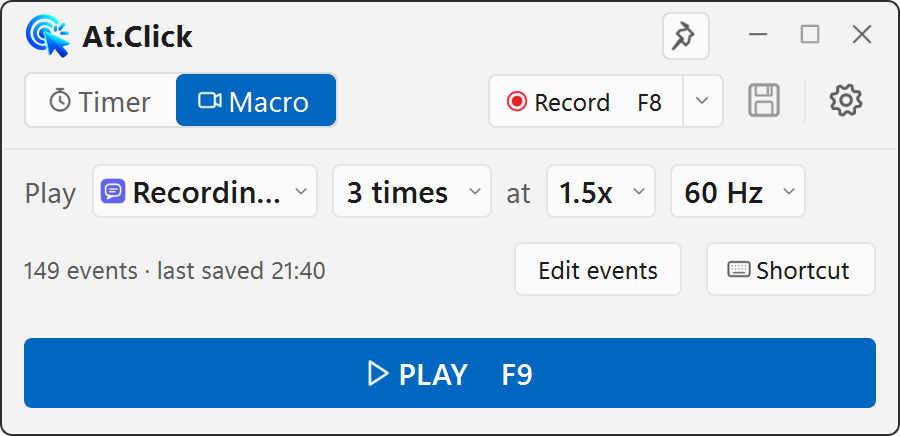
A 450 × 218 desktop control panel for people who want the essential timer and macro controls immediately — without a dashboard, account, or paywall.
Single, double, or press-and-hold.
Pick several points and cycle through them.
Edit events and replay at 0.25×–4×.
Profiles and macros stay on this PC.
Two tools, one clear choice
AutoClicker stays free and compact. AutoClicker Pro adds a larger workspace for advanced editing, scheduling, and utility tools.
Local-first automation
Macros, profiles, and tasks are stored on your Windows PC. Account checks are limited to Pro access; automation content is not uploaded.
Readable, versioned macro files on your device.
No advertising trackers inside either desktop app.
Global shortcuts stop or pause a running automation.
Guides
Choose your workflow