1–1,000 CPS
Choose single click, double click, or press-and-hold with an exact rate.
Download AutoClicker for Windows 11 or 10 and keep timer and macro controls inside a 450 × 218 desktop panel. No account, subscription, ads, or cloud setup.
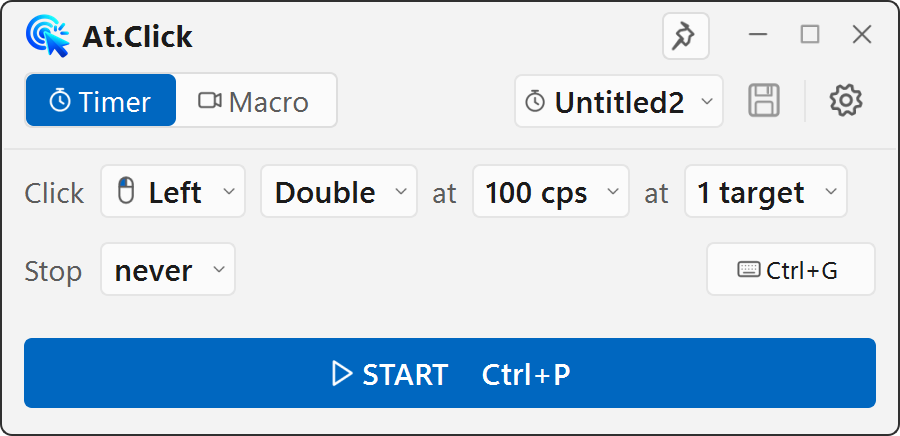
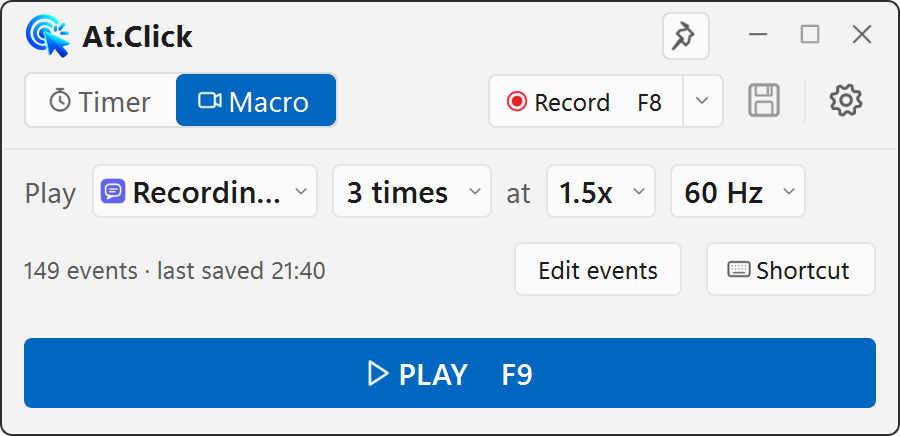
Compact, not stripped down
Popovers keep advanced choices nearby while the main window stays small enough to sit beside your work.
Choose single click, double click, or press-and-hold with an exact rate.
Pick positions from the screen, toggle individual targets, and add a wait after each one.
Record mouse buttons, movement, wheel actions, and keyboard input.
Run by count, duration, or continuously at 0.25× to 4× speed.
Start or stop the timer, recording, and playback without returning to the window.
Switch language immediately; the setting is restored the next time you open the app.
Profiles, shortcut settings, and macro files stay in your Windows user data folder.
The app does not need a connection to click, record, edit, or replay your workflow.
It can check for a newer release and lets you decide when to download it.
Need more workspace?
The free app remains available even if you never create an account.